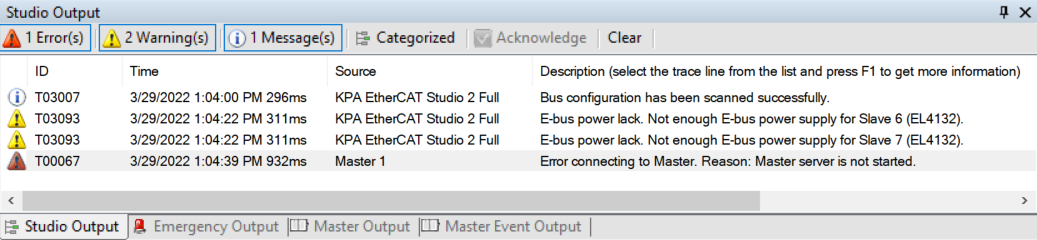
An important distinctive feature of the technology is high availability of EtherCAT based solutions and systems. Availability implies two key factors: reliability of solution or system and reduction of downtime. Since reliability is mostly related to the technology itself and quality assurance, the greatest concern in reduction of downtime is to react to malfunction correctly and in proper time. For these purposes the diagnostic capabilities play a significant role. In order to utilize them to full extent and provide personnel with explanations and remedies of well-known cases VS EtherCAT Studio has an alarm system with a troubleshooting guide.
Main Diagnostic Functions
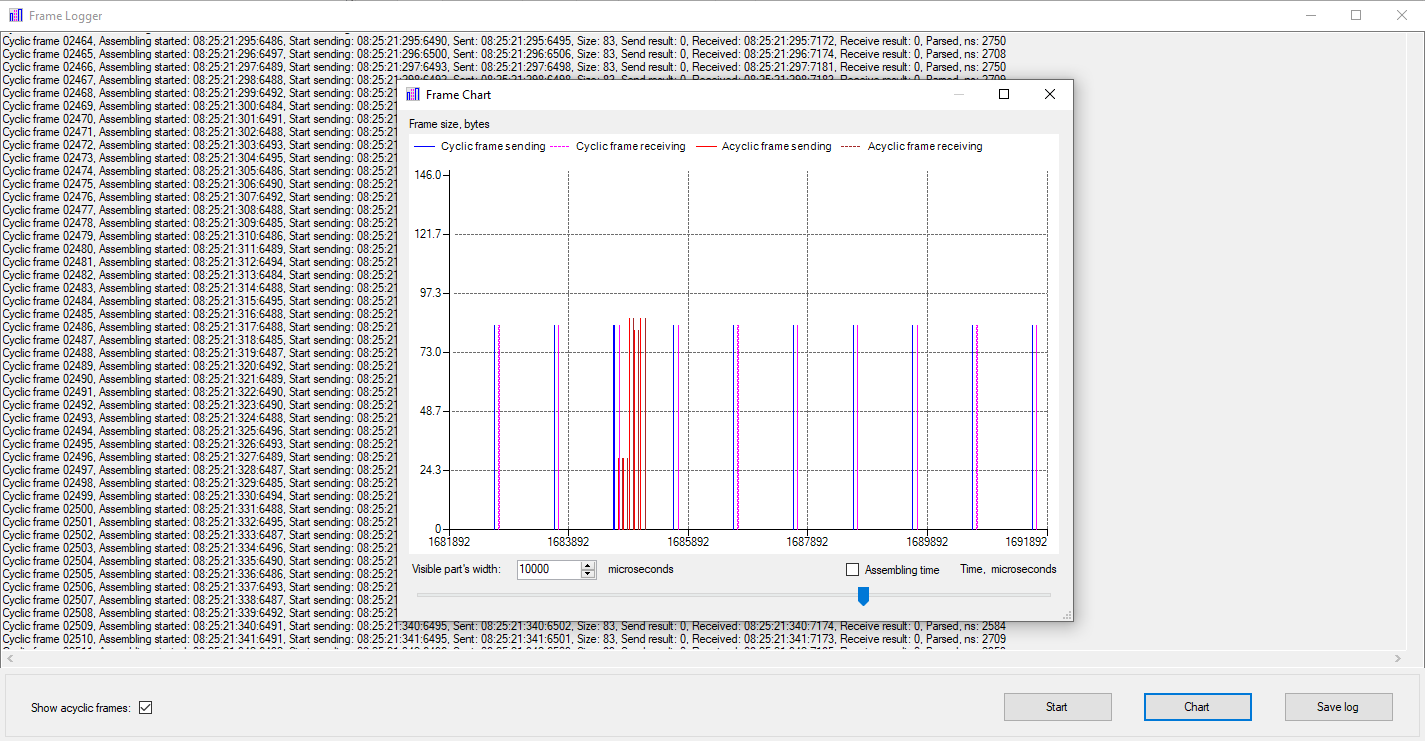
- Data- and Frame- Logger
- Diagnostic Scanner
- Categorized Messages
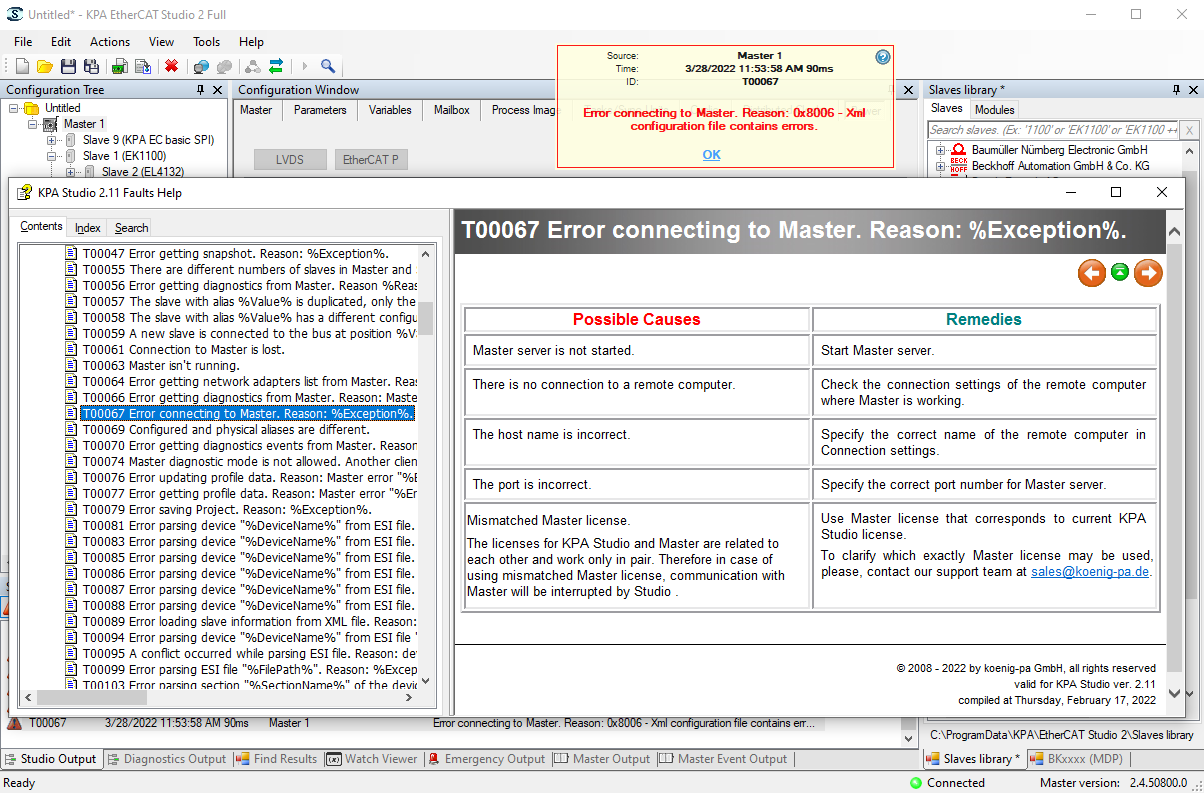
- Causes & Remedies
- Connection Quality
Alarms List
Faults and Emergency massages
Snapshot Viewer
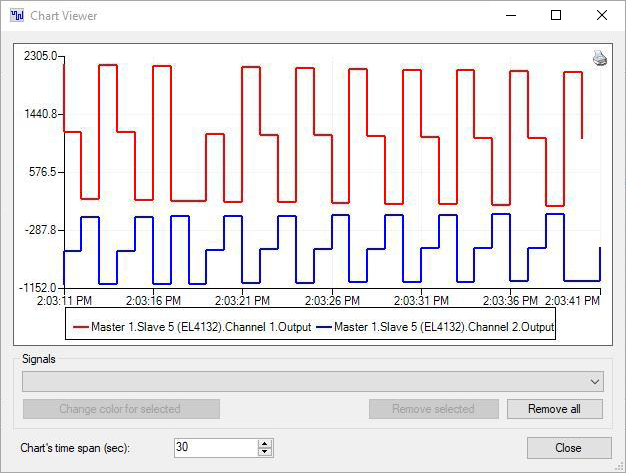
The Snapshot Viewer window serves to display a chart created out of snapshots taken from a value (Channel or Signal). Taking snapshots is configurable. The user can define the following parameters:
- Total number of snapshots taken
- Time frame to take snapshots
- Repetition of snapshotting
- Time frame for repetition
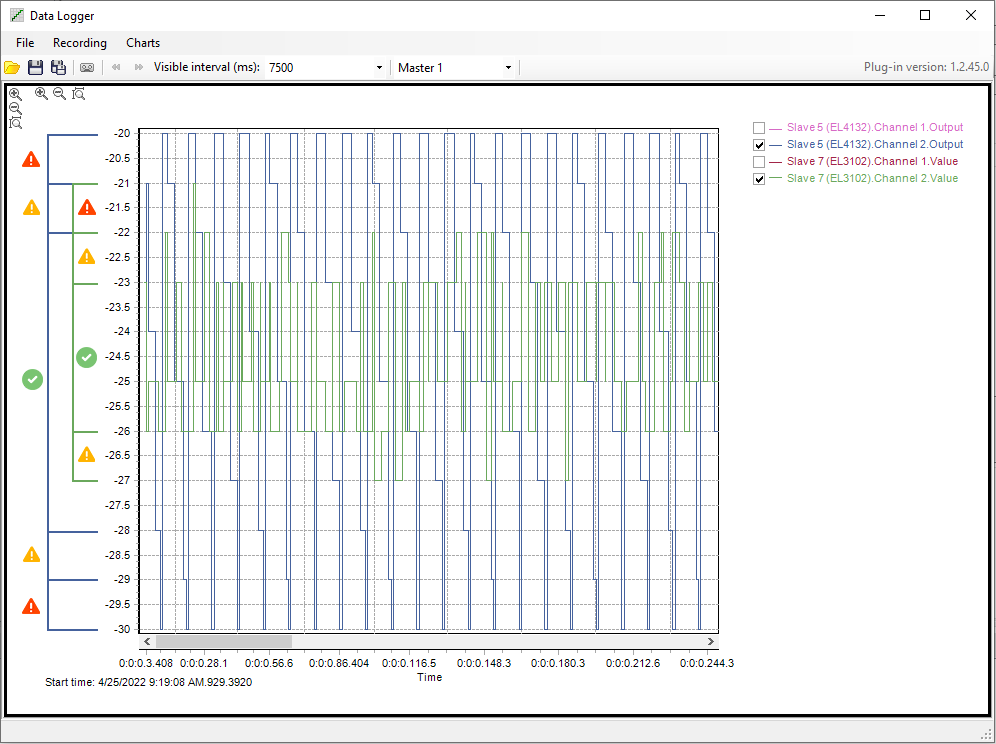
Signal values are gathered during operation and stored to make a snapshot. The viewer then displays the snapshot. On the screenshot presented the monitoring of the signal’s value with the specified interval.
Taking snapshots reduces overall load on the system in order not to affect hard real-time performance.
Data Logging Tool
Statistics
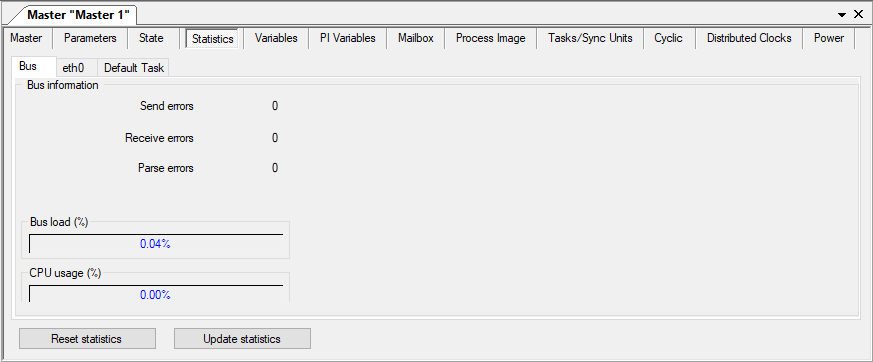
The Studio collects various statistical data:
- Network activity acquired from the NIC
- EtherCAT activity acquired from the master
- CPU and bus loads
Ethernet (eth0 for Linux) statistics – statistics of the certain network card. It displays how many frames were sent, how many errors were fixed, how many packages were sent and received, etc.
Ethernet 2 it is NIC. Here is displayed how many frames the master sent and how many frames did not pass, etc.
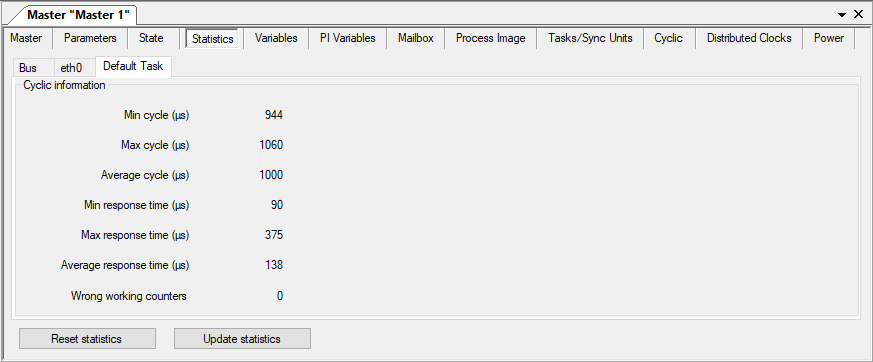
Default task statistics displays the divergence of the set periodicity values of the device with the real.
Power
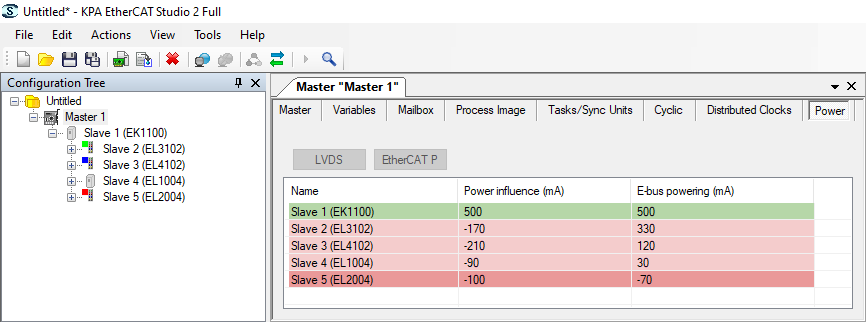
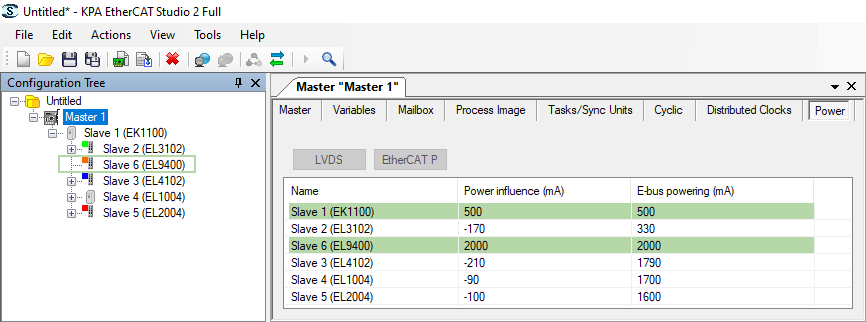
The system of power tracing allows to monitor the power supply and consumption of LVDS slaves on the bus to avoid power lack issues in the configuration.
If the slaves are lack of power the tool discolors them to red and shows negative values of Power influence. On the first screenshot it is seen power lack (red colored slaves) and on the second where added EL9400 (power supply terminal) there is enough power (all slaves are green).
Dashboard
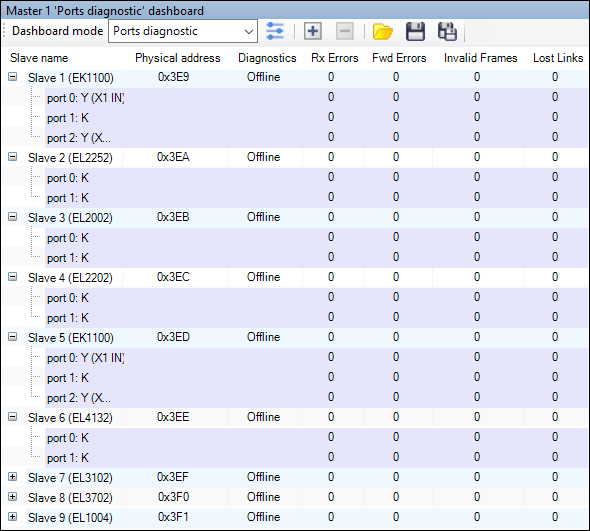
Dashboard is an important diagnostic function of VS EtherCAT Studio. It allows to oversee bus slaves properties and bus ports parameters. Ports searching includes diagnostic that allows to detect errors in the ports in online mode.
Dashboard represented in two modes:
- General (slave properties) mode
- Ports diagnostic (ports parameters) mode